
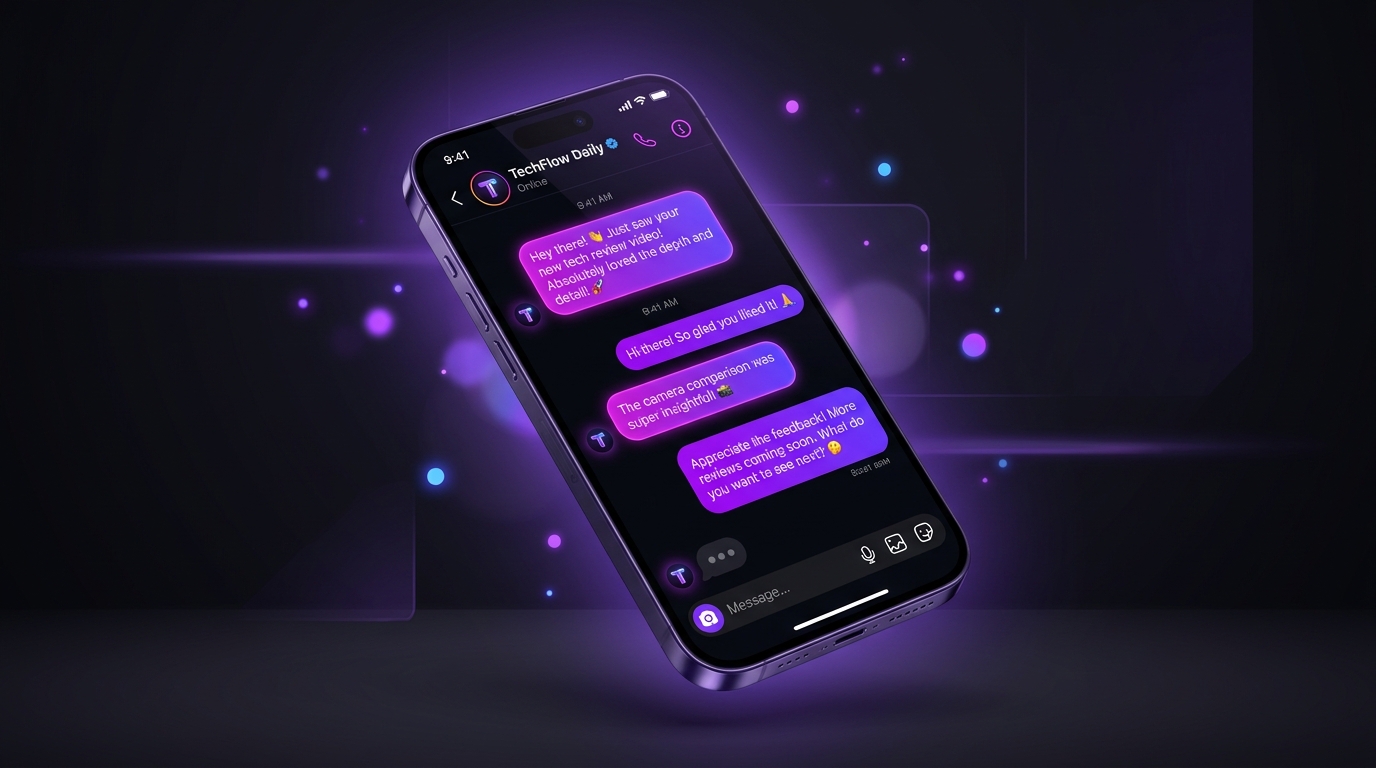
Why Did My Instagram Messages Turn Purple?
If you opened an Instagram conversation and noticed your text bubbles suddenly transformed into a vibrant shade of violet, lilac, or neon magenta, you are not alone. Thousands of users search for 'why is my purple instagram dm showing up' every day.
The primary reason your Instagram chat is purple is because someone in the conversation changed the chat theme. Following Meta's cross-app messaging updates, Instagram Direct Messages allow either participant in a 1-on-1 chat or group conversation to customize the color palette and background wallpaper.
When the other person selects a purple gradient, lavender, or monochromatic theme, the change is applied synchronously for both accounts. Instagram automatically sends a small notification within the conversation stating: '[User] changed the theme to Purple.'
Another common cause is an automated seasonal or creator theme rollout from Meta. Occasionally, Instagram features promotional themes for album releases, holidays, or Pride celebrations that may apply soft violet or purple gradients to specific chats automatically.
Instagram chat themes are shared. If your friend changes the chat theme to purple from their phone in another country, your messages will immediately turn purple as well — even without you touching your settings.
How to Get Purple Messages on Instagram (iOS & Android)
Want to customize your own conversations with aesthetic violet bubbles? Getting the purple DM look on Instagram takes less than thirty seconds.
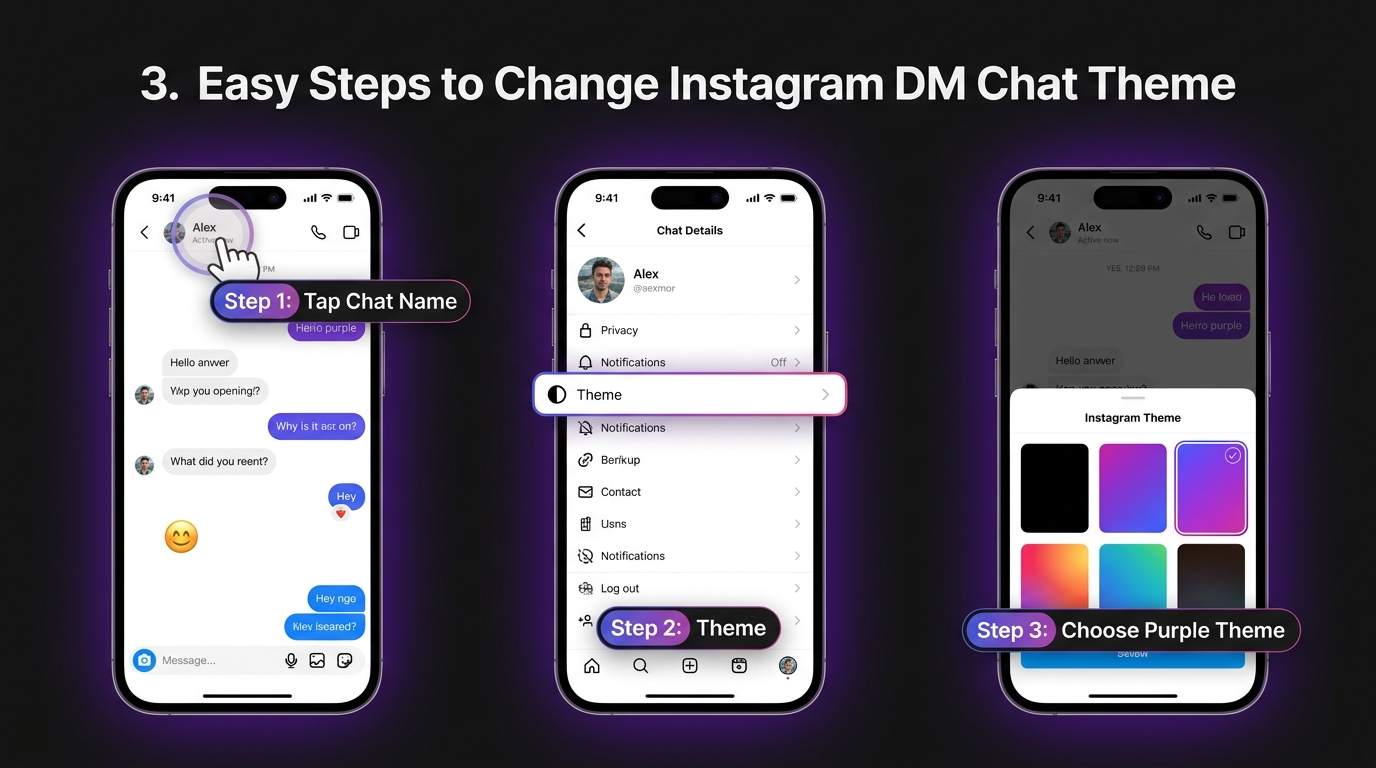
To learn how to get purple messages on instagram, follow this verified procedure on the official mobile app for iPhone or Android:
Combine your purple DM theme with an aesthetic Instagram profile! Check our curated Instagram Stylish Bio collection and aesthetic DP ideas to coordinate your entire profile aesthetic.
- Step 1: Open Instagram and tap the Messenger/Direct Message icon in the top right corner.
- Step 2: Tap into the conversation you want to style with purple messages.
- Step 3: Tap the person's name or username at the top of the chat header to open Chat Details.
- Step 4: Under Chat Settings, tap the 'Theme' button.
- Step 5: Scroll down to the 'Colors & Gradients' section and tap 'Purple', 'Lavender', or any gradient variant you prefer.
- Step 6: Return to the conversation. Your sent message bubbles will now display in a luminous purple gradient!
How to Remove the Purple Theme & Reset Back to Default
If you find the purple text bubbles hard to read or you simply prefer Instagram's classic minimalist look, removing the theme is equally simple.
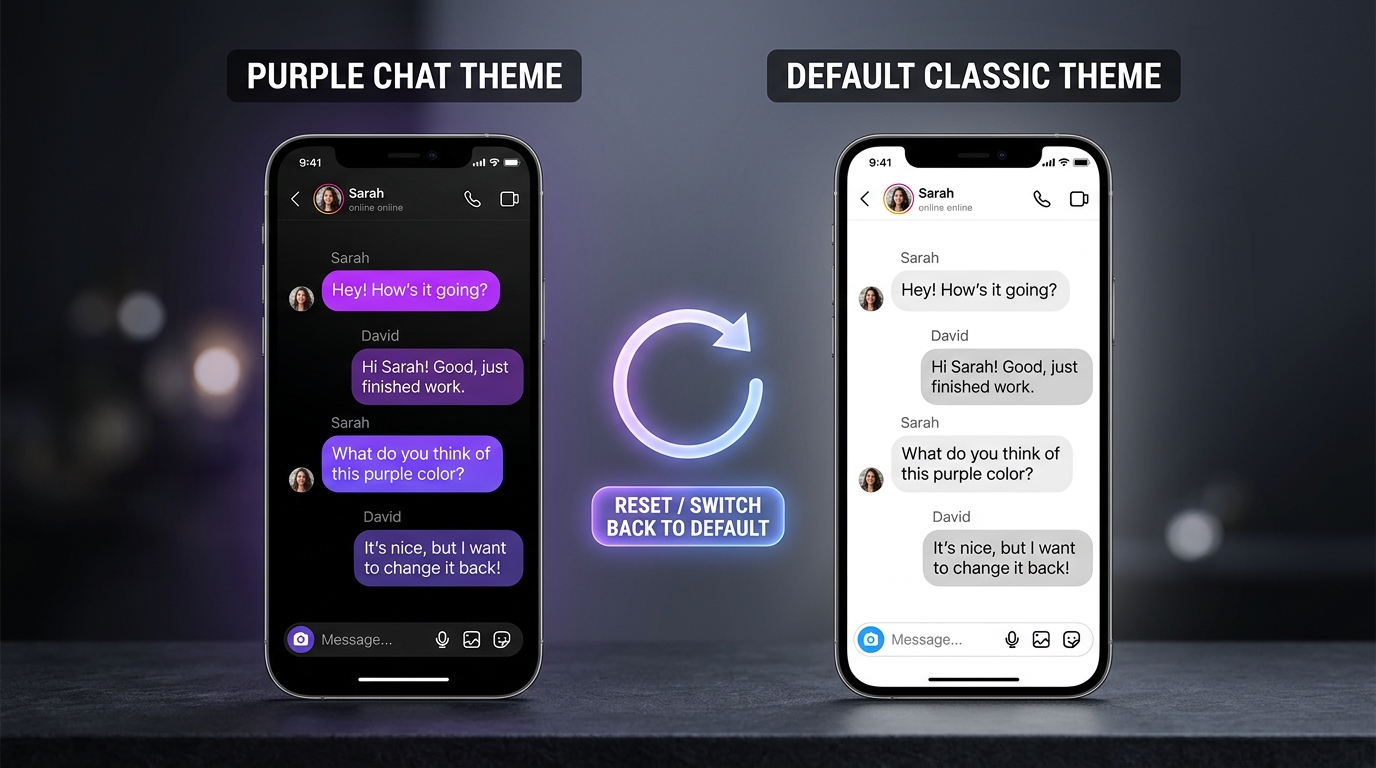
Here is how to revert your Instagram messages from purple back to the standard gray/blue bubbles:
1. Open the conversation that currently has the purple theme active.
2. Tap the chat header name at the top of your screen to access Chat Details.
3. Tap 'Theme'.
4. In the theme selector, scroll down through the list until you locate the 'Default' theme (usually represented by standard gray/blue circular swatches).
5. Tap 'Default'. The conversation will instantly revert to standard white/gray incoming bubbles and classic outgoing bubbles.
Because chat themes are two-way, resetting the theme to Default will also reset the chat for the other person. If your chat partner keeps switching it back to purple, you may want to agree on a mutually preferred neutral theme like 'Monochrome' or 'Shadow'.
Troubleshooting: Instagram Purple Text Bubble Glitch & Fixes
What if your Instagram message purple tint won't go away even after changing the theme? Several common bugs can trigger persistent purple bubbles.
Issue 1: Outdated App Cache & Messenger Sync. If your Instagram app hasn't been updated recently, cached theme data may corrupt. On Android, go to Settings > Apps > Instagram > Storage > Clear Cache. On iPhone, force close Instagram and restart your phone.
Issue 2: System Dark Mode vs. Light Mode Color Inversion. On iOS and Android, system dark mode shifts purple hues into deeper neon shades, while light mode renders them in softer lilac. Toggling your phone's dark mode can help normalize the visual contrast.
Issue 3: Vanish Mode Confusion. If your chat background is pitch black and messages disappear after closing, you are in Vanish Mode rather than a custom theme. Swipe up from the bottom of the conversation to turn Vanish Mode off.
- Check for pending Instagram app updates in the Google Play Store or Apple App Store.
- Log out of your account, restart your smartphone, and log back in to force a fresh server sync.
- If using Instagram Web on a desktop browser, clear your browser cache or test in an incognito window.
Instagram DM Basics: Meaning, Themes & Aesthetic Setup
For creators and everyday users alike, direct messaging is the core hub of social interaction on Instagram.
What is the DM full form in Instagram? 'DM' stands for Direct Message. It is Instagram's private communication system allowing text, voice memos, ephemeral media, and group messaging.
Beyond simple chat themes, creators frequently style their entire digital identity across Instagram. Matching your purple DM aesthetic with an aesthetic profile picture (DP), bio fonts, and cohesive story highlights builds a recognizable, premium personal brand.
To complete your aesthetic look, explore our curated creator resources across BiosStyle:
- Aesthetic DP for Instagram: Free HD circular profile picture downloads.
- Instagram Stylish Bio: 500+ fancy font bios with VIP stars and symbols.
- Aesthetic Captions for Instagram: Short, poetic lines for selfies and photo dumps.