
How Unicode Text Generators Work: From Standard Characters to Stylized Symbols
Imagine refreshing your profile by typing a name into a plain input box and watching it transform into looping script. No download, no install, no design software. That moment is the whole product — and it's exactly what a fancy font generator delivers.
Text generator fonts map each standard alphanumeric character you type to a visually similar symbol from the Unicode catalog (explore our aesthetic cool symbols guide). Unicode is the shared standard that lets devices agree on which character a given code point represents, so the same symbol renders consistently across systems that support it.
This is why the output travels. A traditional TTF or OTF typeface is a file that must live on the rendering device. Unicode characters are already in the text itself, so copying carries the style along with the letters — which is what makes any text generator font tool so frictionless to use across Instagram, TikTok, and beyond.
The Anatomy of High-Performing Fancy Font Styles
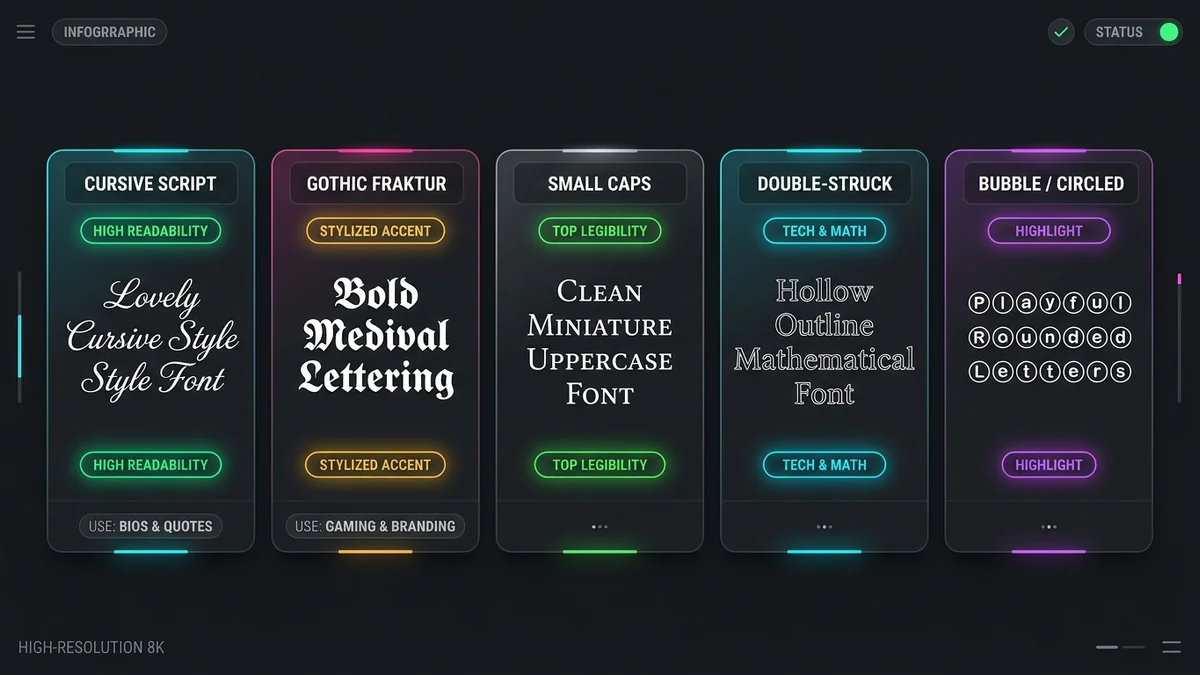
Each style category a stylish text generator offers serves a distinct positioning purpose across stylish Instagram bios and stylish usernames. Cursive and script sets suit soft, editorial, or luxury positioning. Gothic and Fraktur read as edgy and deliberate. Double-struck and bold forms work as emphasis, flagging one phrase in a bio rather than coating the whole thing. Keep in mind that symbol weight that looks balanced on a desktop monitor can crowd itself on a narrow mobile column, so judge styles at phone size.
Every styled character produced by a text generator is a glyph — a single visual unit mapped to a Unicode code point — which is why the output pastes as plain text rather than as a graphic.
How to Convert Standard Text into Copy-Pasteable Unicode Symbols
Use a copy and paste font generator to get from plain text to a styled Unicode string in a few quick steps. Paste or type your raw text into the conversion field. Scroll the library of aesthetic categories — vaporwave, glitch, small caps, bubble letters and gothic text — until one matches your profile's mood. A good font style generator previews every style live, so you can compare options before committing. Hit the one-click copy button to capture the full Unicode string. Then paste it into a private note or draft message first, confirming it renders cleanly before it goes live anywhere public.
Success Metrics: When Stylized Text Drives Results
A single styled line pointing at a link behaves like a call-to-action button in a bio that has no buttons. Decorative symbols can create a thumb-stop effect in a crowded feed, buying a half-second of attention. If you want to know whether it works for your audience, run a plain username against a Unicode-enhanced one and watch recall and profile visits over a fixed window.
Common Failure Modes: Why Some Fonts Appear as Boxes
The empty rectangle, often called 'tofu,' appears when a device lacks a glyph for the code point it received. Older operating systems lack coverage for newer Unicode blocks. Some platforms also strip or substitute specific decorative characters in usernames and display fields. The unsupported Unicode characters fix is straightforward: favor long-established symbol ranges, which have the widest font coverage across phones, desktops, and in-app browsers.
Accessibility and Usability: Critical Limitations of Decorative Text
Here is the cost nobody mentions on the tool pages. Screen readers do not see a cursive letter; they see the underlying code point, which often belongs to a block intended for mathematical notation. Assistive technology announces the character's standard identity, not its appearance. A bio that reads beautifully to a sighted visitor can arrive as a stream of symbol names to a blind one.
That leads to a simple design rule. Use a Unicode font generator for decorative elements — a header flourish, a divider, a single emphasized word — and keep anything the reader actually needs in plain text. Email addresses, booking links, pronouns, business hours, and disclaimers stay unstyled. Published web accessibility guidelines from the W3C Web Accessibility Initiative offer practical inclusive design standards worth consulting before you style a bio.
Heavy glitch or Zalgo output compounds the problem. It also degrades readability for people with low vision or dyslexia, and it slows down anyone skimming on a small screen.
The Screen Reader Gap: A Technical Deep Dive
Mathematical Alphanumeric Symbols exist so equations render correctly, not so bios look pretty. When a cursive bio built from that block reaches assistive technology, the output can degrade into individual character descriptions rather than words. Each character carries its own code point — a unique identifier that tells software what a symbol means — and screen readers announce that technical identity rather than reading the word as written. The workable compromise: style the first line only, write the rest conventionally, and verify with your device's built-in screen reader before publishing.
Search Intent and SEO: Will Fancy Text Hurt Your Discoverability?
Search systems match the characters stored, not the shapes displayed. A styled word is a different string from its ASCII equivalent, so a stylized name may not surface for someone typing the plain spelling into in-platform search. Keep your searchable terms — your actual name, your niche, your city — in standard characters, and let the font style generator handle flair around them — as outlined in our creator bio SEO strategy guide.
The same logic applies to hashtags. According to guidance from Bold Text Generator, if you convert letters in a hashtag to Unicode bold, Instagram will not recognize it as an active clickable tag, and your post will not appear in hashtag search results. That means a stylized `#𝗍𝗋𝖺𝗏𝖾𝗅` won't reach anyone browsing `#travel` — keep every hashtag in plain ASCII so the platform indexes it correctly.
Safety and Security: Are Online Font Generators Safe to Use?
Security concerns about fancy text tools often stem from misunderstandings. Nothing gets installed. A browser-based free text generator font copy paste tool transforms characters in the page and hands you a string; there is no executable, no system-level font file, and no permission request for your device. That is structurally safer than downloading a typeface from an unfamiliar source and installing it.
The actual risks are mundane. If you're asking "are fancy text generators safe," the short answer is: the generation itself is not the hazard — but the surrounding page design can be. Be wary of any tool that requires account creation or offers to connect your social media login — generating text does not need either. Prefer tools that process input in the browser rather than logging what you type, and skip anything that buries the output behind a signup wall or an interstitial.
How to Find Credible Generation Tools
Reliable tools share a profile: an ad-light interface, HTTPS encryption, live previews as you type, and no gate between input and output. Treat two things as red flags — a prompt to install a browser extension, and any message claiming you need a software update to view the characters. One-click copy matters most on mobile, where manual text selection is genuinely painful.
Unicode vs. Custom Typefaces: Choosing the Right Format
Use Unicode when the text needs to survive being pasted into platforms you don't control. That covers Instagram fonts for bio fields, TikTok fonts and captions, gaming nicknames, and Discord gaming fonts — anywhere the platform controls rendering and you can't install a custom typeface. Reach for a real downloadable typeface when you control the rendering environment: graphic design files, website headers, PDFs. The core trade-off in the font generator vs real fonts decision is universal compatibility against unlimited design freedom.
Quick Fixes for Display Issues
Question marks or boxes mean the rendering device fell back to a font without that glyph — swap to a more widely supported style. To revert, do not retype: copy your styled bio into a plain-text note, which strips nothing but gives you a clean reference, then regenerate from the original wording. Check the result in at least two browsers.
Where to Look Next for Character Standards
For ready-to-use styling, browse our Instagram VIP bio symbols collection, check out aesthetic usernames, or explore copy-paste bio templates. For technical Unicode standards, the Unicode Consortium publishes the authoritative code charts and block descriptions. For inclusive design decisions, consult published web accessibility guidelines from the W3C Web Accessibility Initiative rather than tool marketing copy. Academic work on digital typography and reading perception is also worth a look if you want evidence on legibility rather than aesthetics alone.